Answers cannot be verified
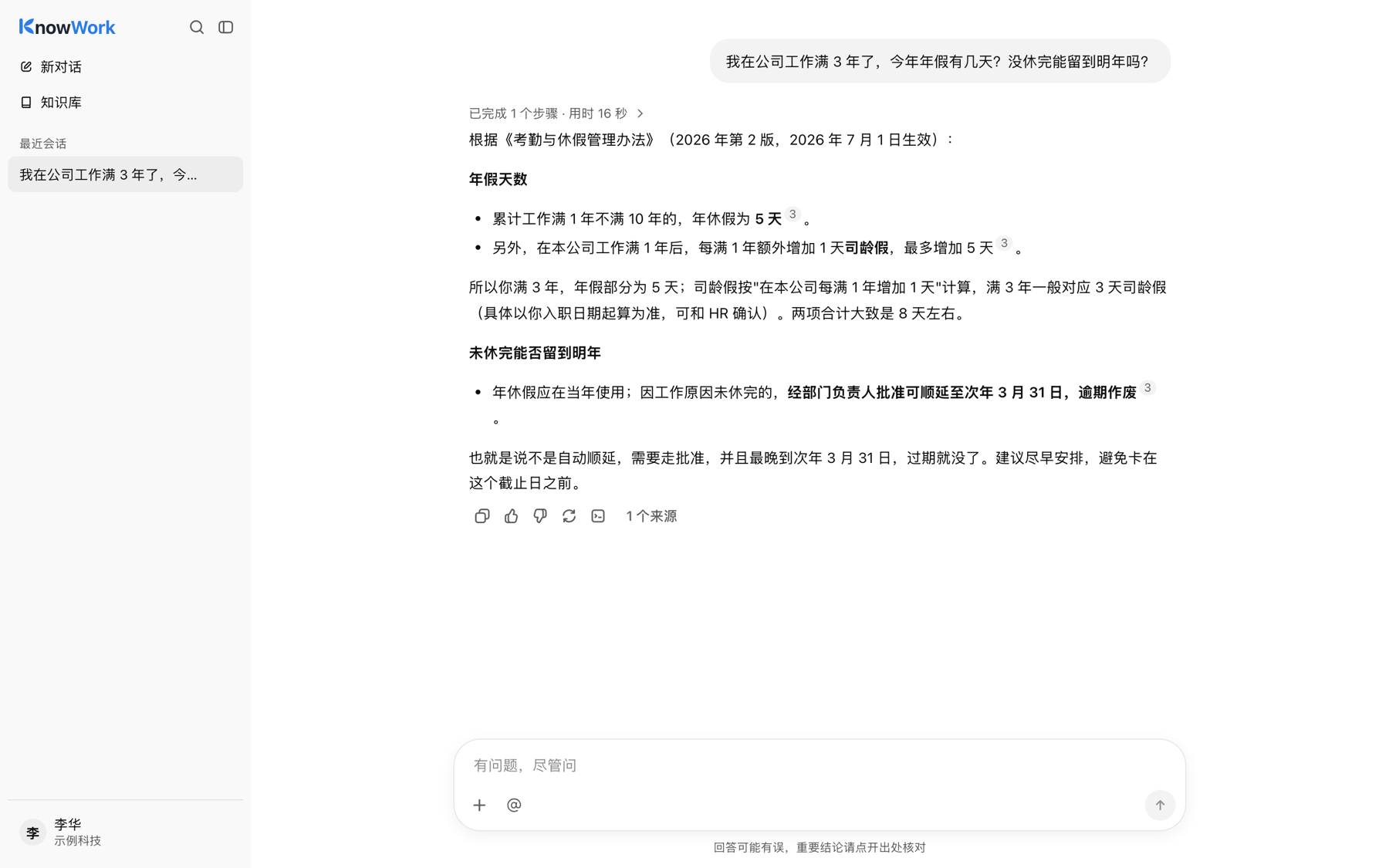
One wrong amount, deadline or approval rule is an incident. Without sources nobody dares to rely on it.
Employees ask in the browser or chat apps; the assistant searches company knowledge within their permissions, reads attachments and produces files.
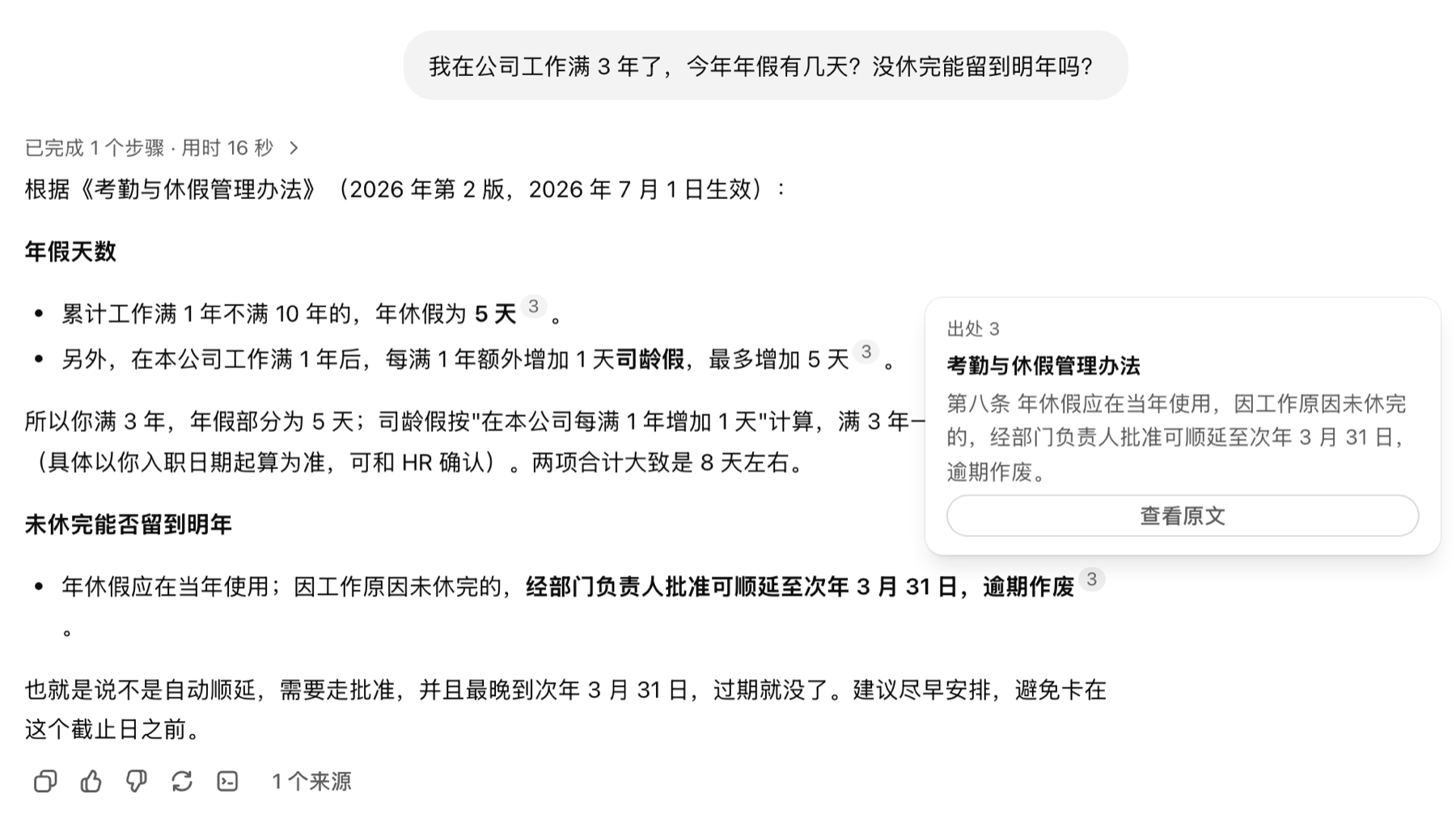
Every citation opens the original text. Deployed on your servers, data never leaves.
What comes after it enters the company is not
Handing employees a generic chat tool, or stitching together "upload docs + Q&A", demos well. Once rolled out, the problems lie outside the model.
One wrong amount, deadline or approval rule is an incident. Without sources nobody dares to rely on it.
Put finance, HR and project files in one base and anyone can ask them out; split them into dozens and nobody maintains them.
Employees need "check these invoices against the new policy", not a paragraph they still have to rework.
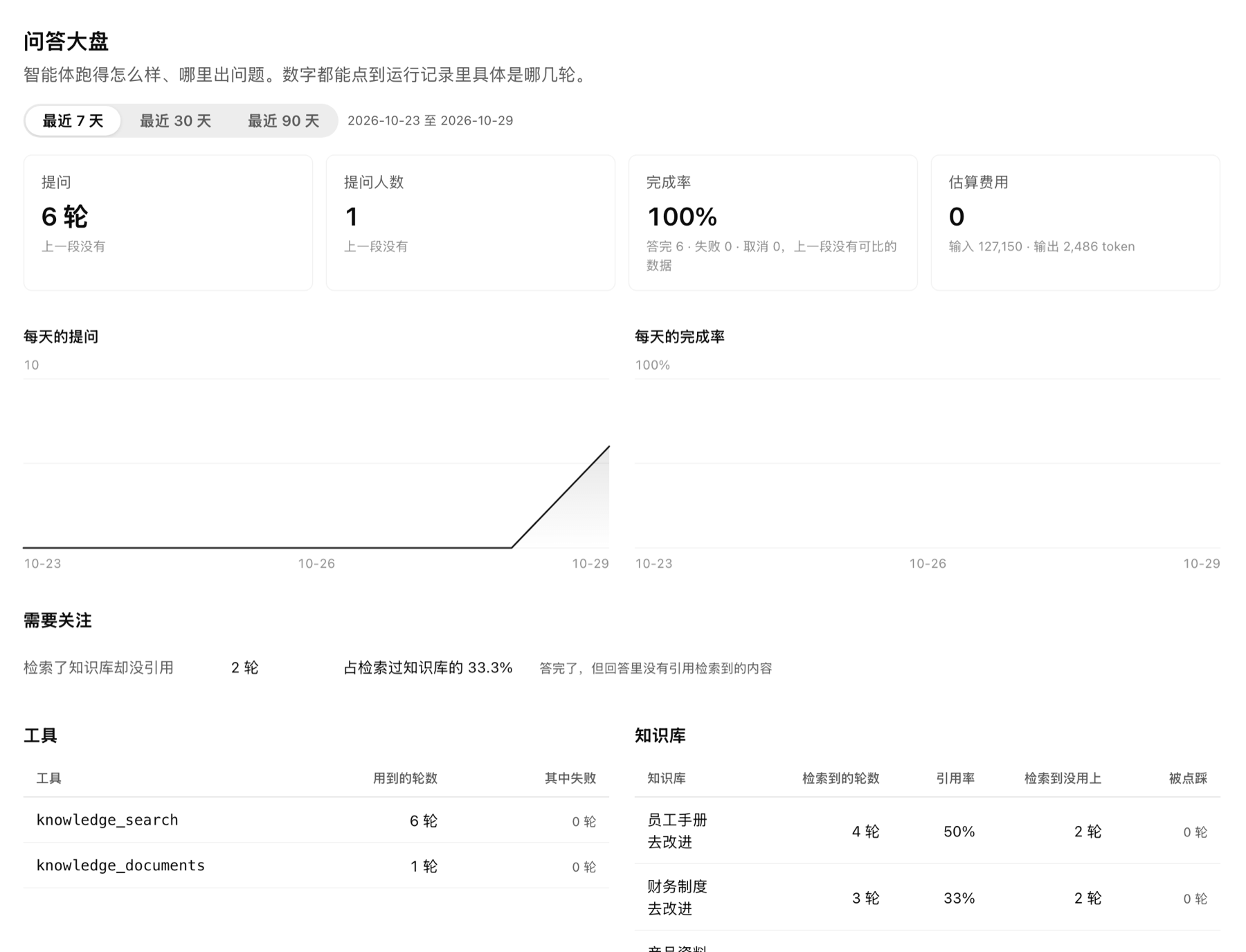
Who asked what, which questions went unanswered, what it cost — after launch it is a black box.
KnowWork’s trade-off: the model understands and writes, permissions decide what it can read, commands run in an isolated sandbox, and every step is recorded.
From the first message to filling knowledge gaps, every step is visible
Chat in the browser, or message / @ the bot in WeCom, Feishu, DingTalk
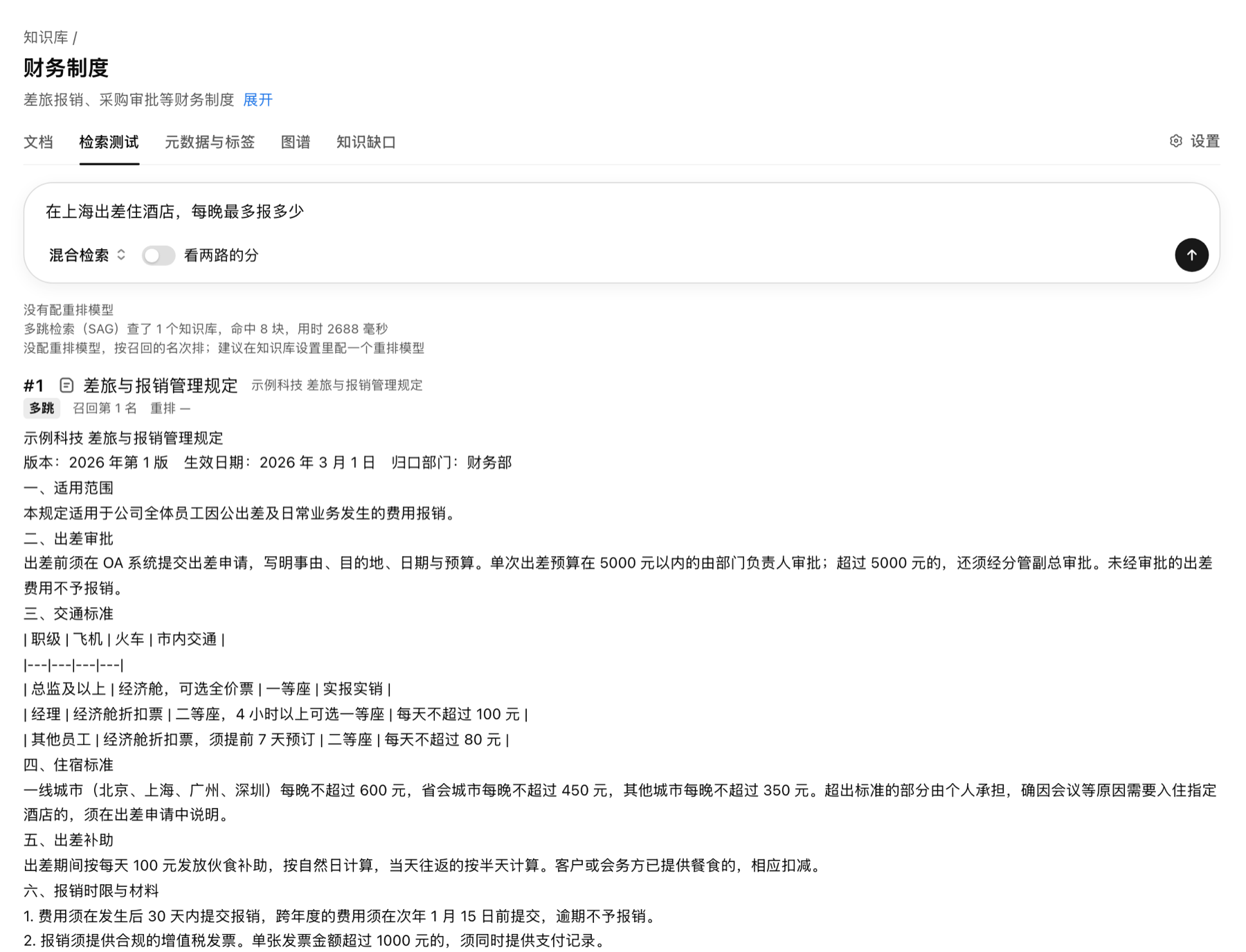
Only the bases this person is granted, hybrid semantic + keyword recall
When a hit is partial, read the surrounding text or section before answering
Attachments, skills and files run in a session sandbox; writes need approval
Each citation opens the original paragraph
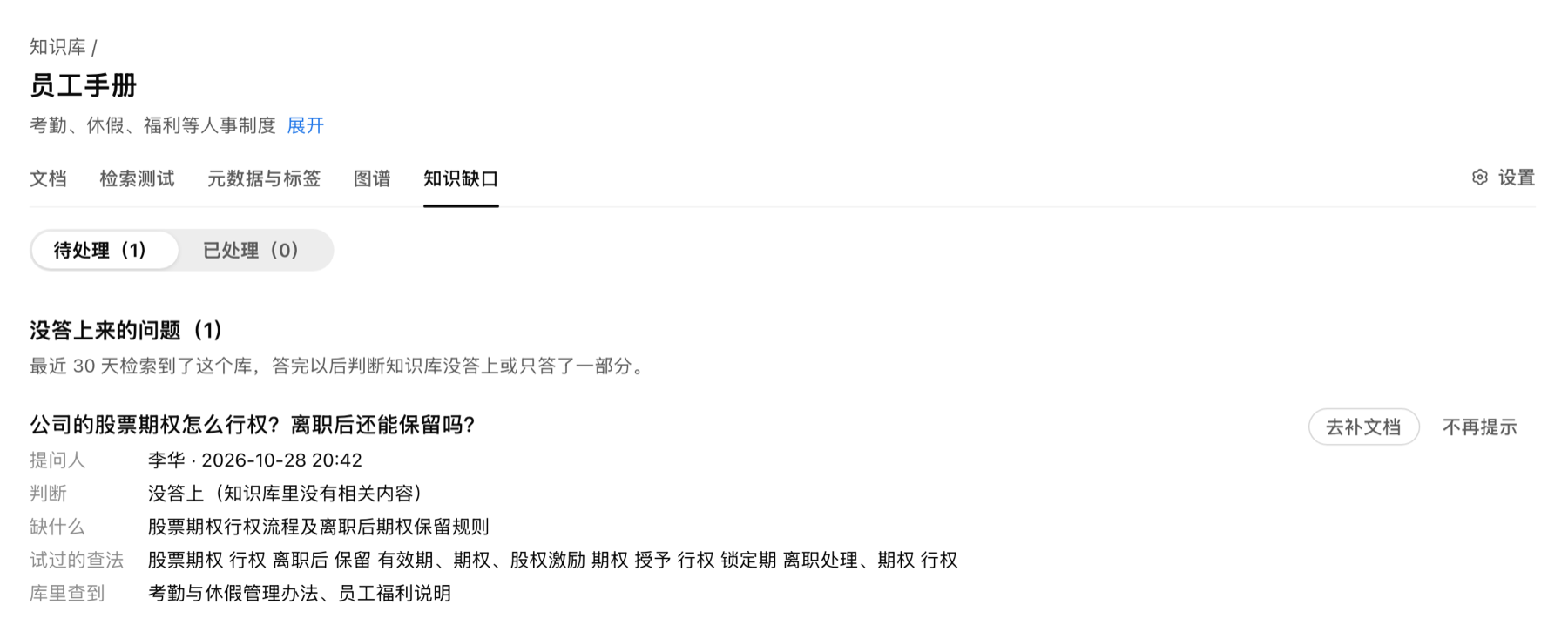
Each turn is judged; unanswered questions go to the base maintainers
Each conversation gets its own sandbox container: commands and files stay inside and cannot touch the server, the database or other people’s data.
From managing knowledge to daily use and continuous improvement, in one system
Parsed on upload, searchable in the open
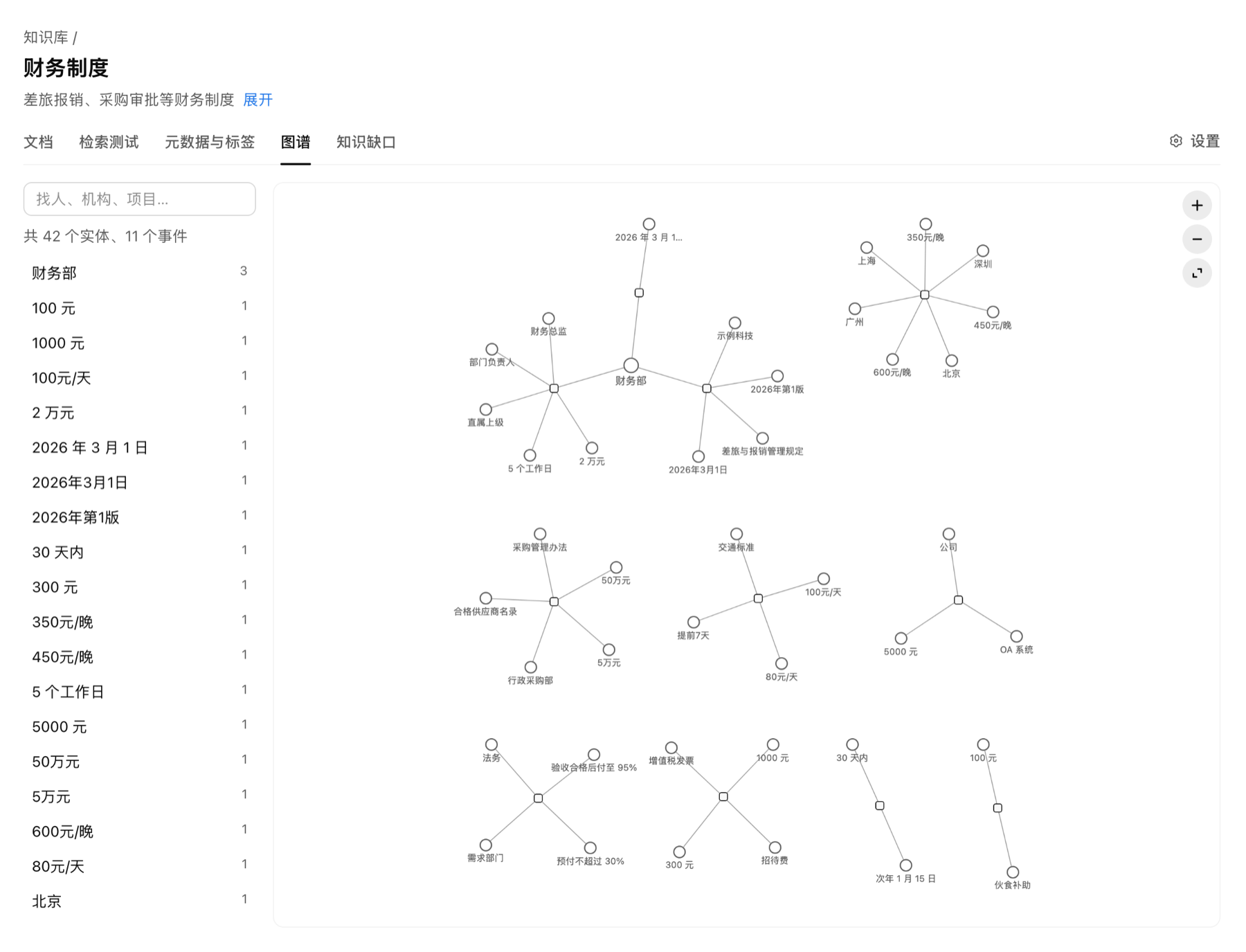
PDF, Word, PPT and Excel are parsed, chunked and indexed automatically; bases live in folders that carry permissions. The retrieval test page shows exactly what each question hits.
Every number opens the source
The assistant searches, keeps reading when a passage is incomplete, then answers. Each citation shows the excerpt and opens the original file at that paragraph.
Attachments, files and tools
Review a contract against policy, turn conclusions into Word, Excel or PPT, package company procedures as skills and connect business systems as tools.
Who can read what, enforced
Workspaces isolate departments; within a space, grant folders, skills and tools to departments, groups or people, effective immediately. Company-wide bases are shared read-only instead of copied.
WeCom, Feishu, DingTalk
Message the bot or @ it in a group; answers stream in and cited images follow. Long-lived connections — no public callback URL, no inbound ports.
Know what went unanswered
Every turn is judged answered or not; gaps are listed per base with what is missing and how it was searched. Dashboards, run logs, usage and audit show quality and cost.
Screenshots from a demo environment with a fictional company
Self-hosted, using your existing models and infrastructure
The difference is everything around the model
| KnowWork | Generic AI chat tool | |
|---|---|---|
| Where data lives | On your servers; documents, chats and vectors stay inside | Questions and files go to the vendor |
| Company knowledge | Built-in base with permissions and version detection | Upload files each time, or connect a base without permissions |
| Sources | Citations open the original paragraph | Usually not verifiable |
| Access control | Spaces, departments, groups, folder grants | Whoever can use it can ask everything |
| Taking action | Sandboxed, writes need approval | Limited to the vendor’s tools |
| Visibility | Gaps, dashboard, run logs, audit | Little insight into what was asked and how it went |
Open source ships the full agent and permissions; commercial adds the built-in knowledge base and workspaces
| Capability | Open source | Commercial |
|---|---|---|
| Chat, session sandbox, Office files | ✓ | ✓ |
| Skills, MCP tools, approval before writes | ✓ | ✓ |
| Members, departments, groups, grants, OIDC | ✓ | ✓ |
| WeCom, Feishu and DingTalk bots | ✓ | ✓ |
| Dashboard, run logs, usage and audit | ✓ | ✓ |
| Search API and MCP | ✓ | ✓ |
| Connect KnowFlow knowledge base | ✓ | ✓ |
| Built-in knowledge base with versions and gaps | — | ✓ |
| Multiple workspaces and sharing | — | ✓ |
| Multi-hop, visual retrieval, structure enhancement | — | ✓ |
Start with one department and one kind of question
Leave, expenses, procurement — answered any time with the policy text, newest version first.
Upload a contract or bid, check it against company rules, get the risks as a table.
Manuals, pricing and cases in one place, asked directly from chat apps.
One space per subsidiary, each managing its own; group policies shared to all.
We provide the package and POC support to run it on your servers, with your models and files